
Check-in software for online coaches
Weekly client check-ins your clients actually complete. Without chasing them in the chat.
Set up a recurring check-in task (say, upload photos every Sunday) and clients get a reminder in their app when it’s due. Add your own check-in form with the questions you always ask, and read every answer on the client’s profile.
No credit card required · cancel anytime · 30 days free
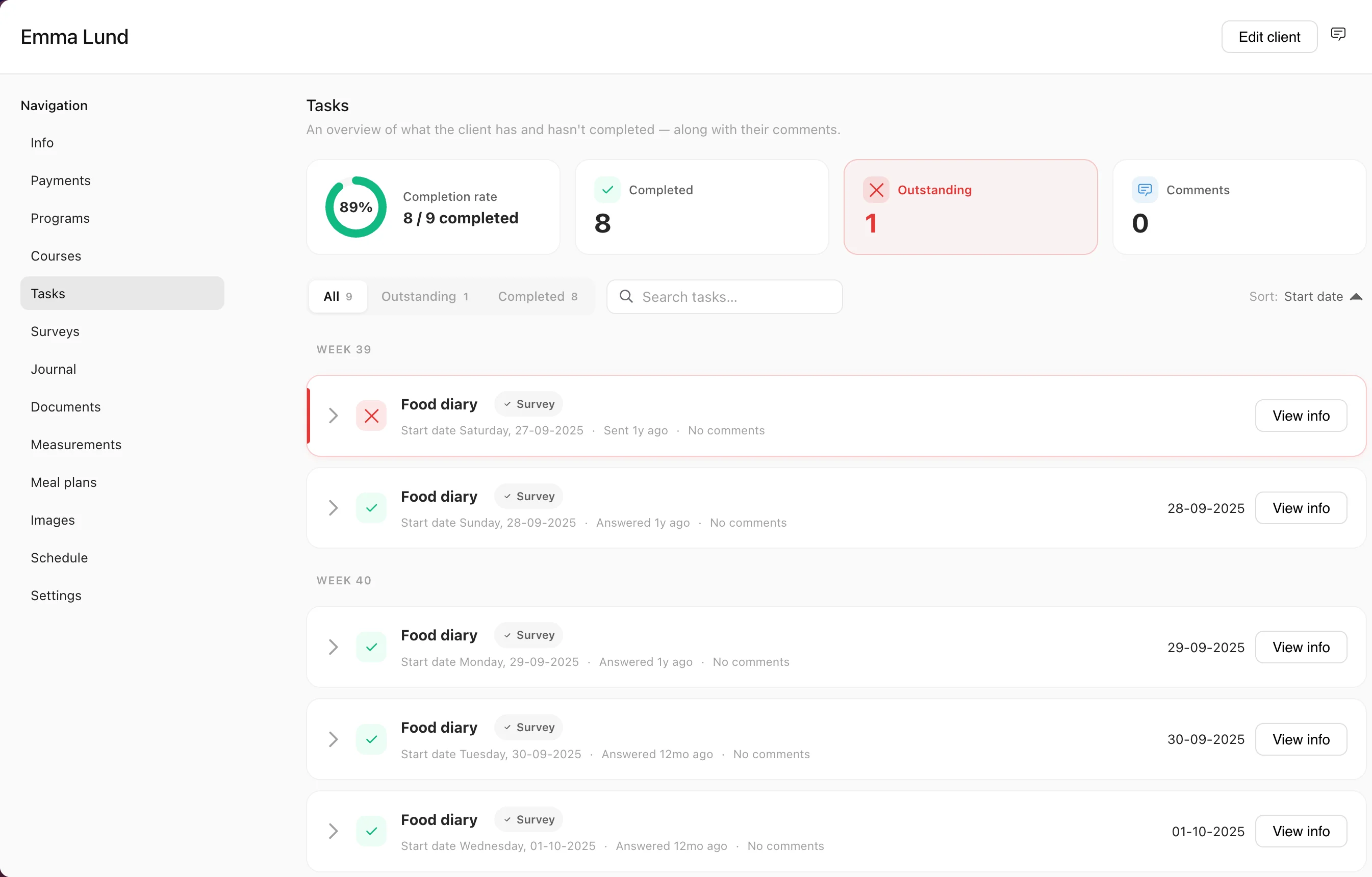
A client check-in is the regular moment where a client reports back: photos, how the week went, energy, sleep, what felt hard. In Coachplan, a check-in is a recurring task with a reminder, paired with a questionnaire you build yourself. Clients complete both in their app, and the answers are saved on their profile.
Check-ins shouldn’t depend on your memory
Without a system, check-ins turn into loose messages, photos in five places and a Sunday spent reminding people. The clients who go quiet are the ones you needed to hear from.
Without Coachplan
- Check-in questions retyped in a chat every week
- Photos and answers scattered across text, email and DM
- No easy way to see who checked in and who didn’t
- No history to look back on when progress stalls
With Coachplan
- A recurring check-in task on the schedule you choose
- Clients reminded in the app when it’s due
- Your own check-in form, built once and reused
- Every answer and photo saved on the client’s profile
Who uses check-ins?
Online coaches
Weekly check-ins show you each client’s progress, motivation and struggles without a call.
Nutrition coaches
Food logs and daily check-ins give you a clear picture of intake, energy and sleep.
Physiotherapists
Regular pain and wellbeing questionnaires give you something concrete to adjust the rehab plan on.
How to set up check-ins in Coachplan
Four steps, from your first check-in form to following up on the answers.
Check-in form
Build your check-in form once
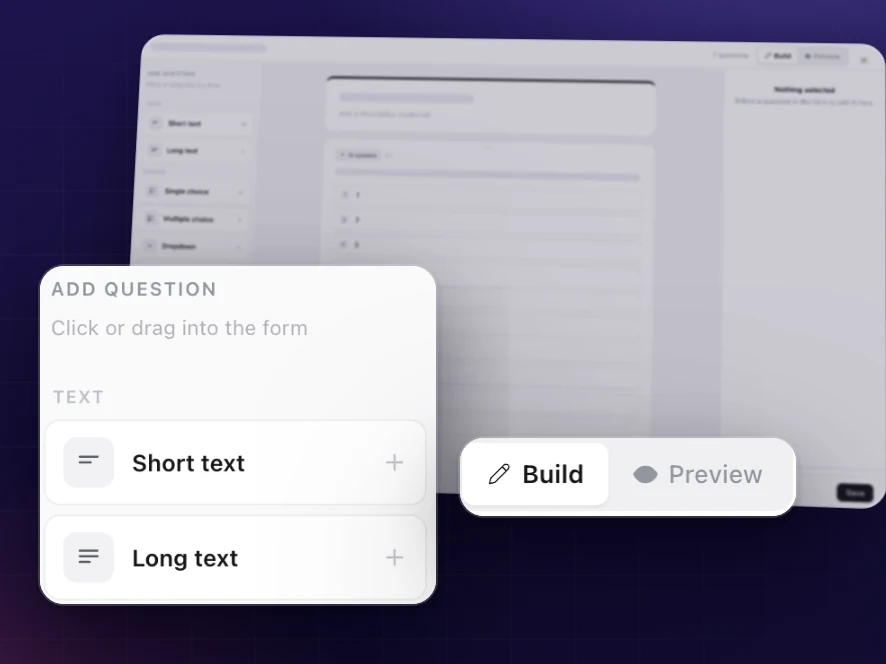
Drag questions onto the form, type straight on the card and switch to preview to see exactly what the client sees. Or start from a ready-made template for weekly check-ins, daily check-ins, food logs or wellbeing surveys. Not sure what to ask? Our free client check-in form template gives you questions to start from.
A proper check-in form in minutes
More than a form and a to-do list
Recurring tasks
Set a check-in to repeat daily, weekly or at your own rhythm, over the period you choose.
In-app reminders
Clients get a notification when a new check-in task is ready, so nothing gets forgotten.
Photo upload
Clients can answer with photos, of their progress or of a meal, straight from their phone.
Visual form builder
Seven question types, from short text and multiple choice to yes/no and file upload, plus headings, sections and rich text.
Live preview
See exactly what the client will see in the app before you send anything. No test client needed.
Completion overview
See in one list which tasks each client has done and which are still open.
Answers over time
Every response is saved in date order, so you can spot patterns in energy, sleep, stress and motivation.
Check-in software vs check-ins by chat
Questions about check-ins
A check-in is a recurring task, for example uploading progress photos each week, combined with a questionnaire you build yourself. The client gets a reminder when the task is due and completes both in the app.
The recurring task repeats on the schedule you set, and the client is reminded in the app each time. Questionnaires are sent by you, to one client or a whole group. You can also place a questionnaire on a specific day in a course, and it’s released on that day once the client is enrolled.
Keep it short enough that clients finish it: how training went, energy, sleep, stress, hunger, anything that felt hard, and a set of progress photos. Our free client check-in form template has questions you can copy straight into your own form.
Yes. Build it in the visual builder, preview it as the client will see it, and save it as a template to reuse. There are also ready-made templates for weekly check-ins, daily check-ins, food logs and wellbeing surveys.
Short text, long text, single choice, multiple choice, dropdown, yes/no and file or image upload, plus headings, sections and rich-text blocks to structure the form.
Yes. Clients can upload photos as part of a check-in task or as an answer in the questionnaire, straight from their phone.
Yes. You see completion status for every client’s tasks in one overview. Clients mark tasks as done in the app.
Yes. Every answer is saved in date order on the client’s profile, so you can compare this week with last month.
Ready for check-ins that don’t depend on your memory?
Try Coachplan free for 30 days. Build your check-in form, set the recurring task, and see who has checked in at a glance.
Start your free 30-day trialNo credit card · 30 days free · cancel anytime
Other features
Coachplan for your role
Considering alternatives?