
Exercise library
An exercise library that shows clients how it’s done. No more hunting for YouTube links.
Find the exercise, check the demo and drag it straight into the program. Clients see a clean demonstration next to the exercise in their app. Use the built-in exercises with GIF demos, or add your own with your own video.
No credit card required · cancel anytime · 30 days free
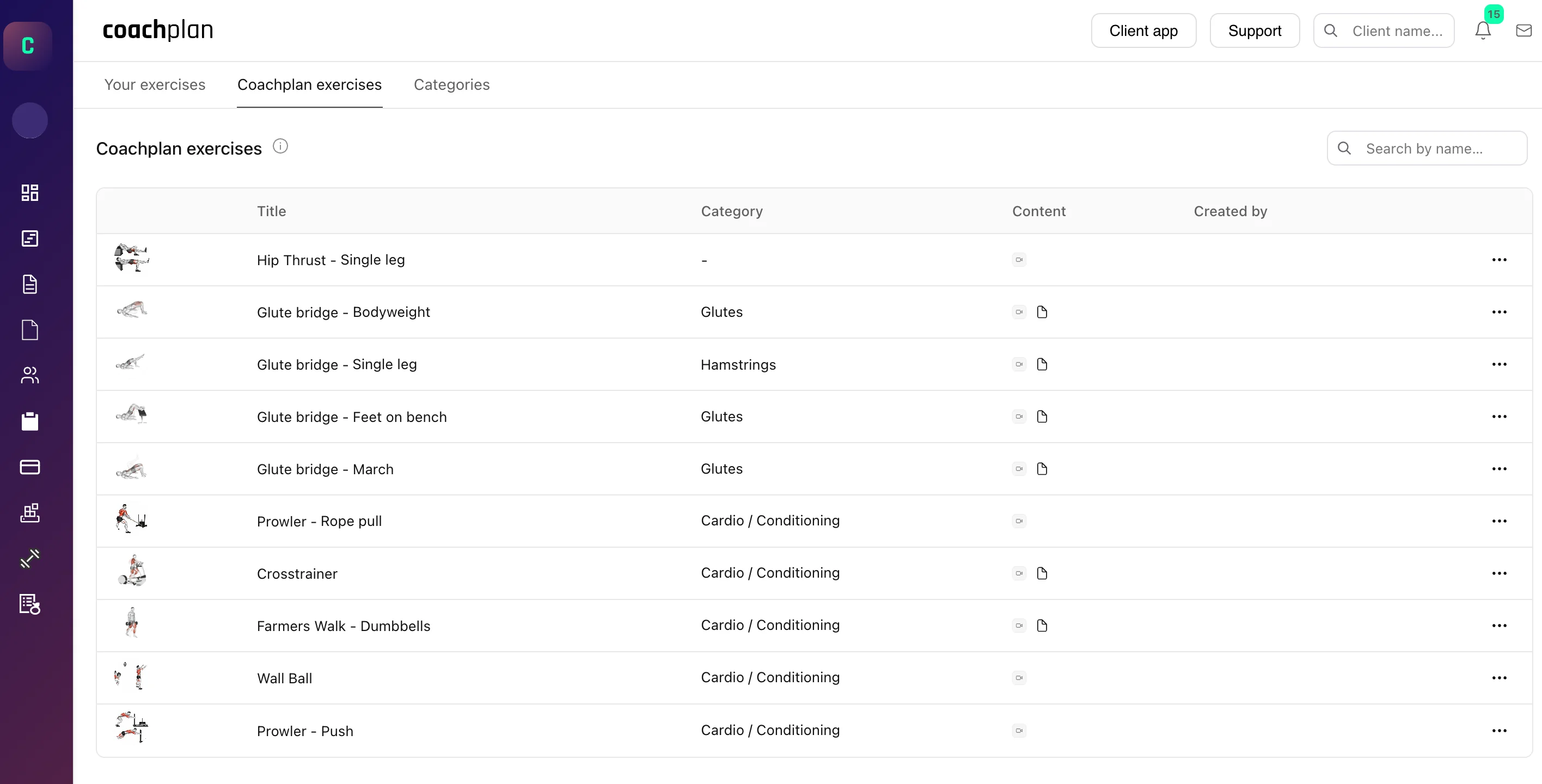
An exercise library is the collection of exercises, with demos and instructions, that you build your programs from. In Coachplan, the library sits inside the workout builder, so you find the exercise, check the demo and add it to the program without switching tabs.
Every YouTube link comes with ads and distractions
Searching for a demo video, copying the link, pasting it into the program. And then the client watches an ad and three suggested videos before the one you meant.
Without Coachplan
- Searching YouTube for a demo video every time
- Links copied and pasted into programs by hand
- Clients seeing ads and suggestions instead of the exercise
- Demo quality that varies from one client to the next
With Coachplan
- Built-in exercises with GIF demos, ready to use
- Drag the exercise straight into the program
- A clean, ad-free demo in the client’s app
- Your own exercises with your own video, stored once
Who uses the exercise library?
Personal trainers
Find the right exercise quickly and show clients how it’s done, with a demo instead of a long explanation.
Physiotherapists
Add your own rehab exercises with video and instructions patients can follow at home.
Online coaches
Coach remotely with the same clear demo for every client, right next to each exercise in their app.
How the exercise library works
Four parts, from searching to the exercise showing up in your client’s program.
Search
Find the exercise in seconds
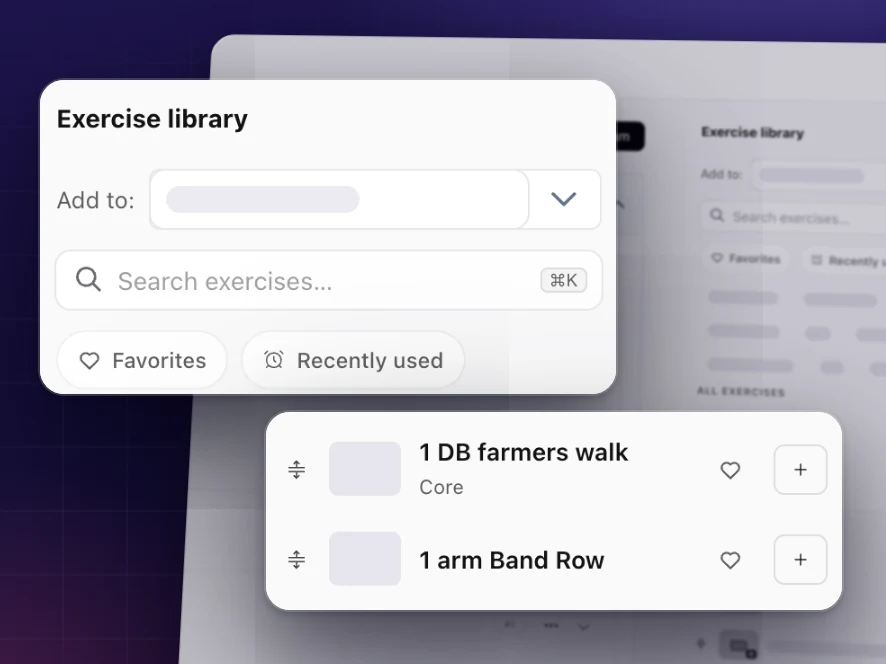
Search by name or filter by category. Mark your favorites and see your recently used exercises straight away, so you never look for the same exercise twice.
The right exercise without leaving the program
More than an exercise database
Inside the workout builder
Drag exercises from the library into the program. No copying, no loose links, and the demo follows the exercise to the client’s app.
Your own exercises
Upload your own exercises with video and instructions, for special techniques and the way you like to coach.
Alternative exercises
Link up to 3 alternatives to an exercise, each with its own sets and load, so the client has a backup if one doesn’t suit them.
Favorites and recently used
Your go-to exercises are always close at hand, so programs come together faster.
Ad-free for clients
Clients see a clean demo in the app, with no YouTube ads, suggestions or distractions.
Filter by category
Exercises are grouped into categories such as strength, mobility, cardio and rehab, so you can narrow the list quickly.
Coachplan vs. YouTube links
Questions about the exercise library
More than 1,200 built-in exercises, each with a GIF demo, and we add new ones regularly. You can add as many of your own as you need.
Yes. Create your own exercises with your own video and instructions. They sit alongside the built-in exercises, kept separate, and you can use them in all your programs.
Search by name or filter by category, such as strength, mobility, cardio or rehab. Your favorites and recently used exercises are always at hand.
Yes. When you add an exercise to a program, the client sees the demo and instructions right next to it in their app, with no ads.
Yes. Link up to 3 alternatives to an exercise, each with its own sets and load, so the client has a backup ready.
Yes. The library is part of the workout builder, so you drag exercises straight into the program and the demo goes with them.
Ready to build programs without hunting for videos?
Try Coachplan free for 30 days, with the full exercise library and your own exercises from day one.
Start your free 30-day trialNo credit card · 30 days free · cancel anytime
Coachplan for your role