
Workout builder for personal trainers
Build client workout programs in minutes, not evenings.
Put exercises, sets, loads and alternatives together in one place and send the program straight to your client's app. No spreadsheets, no PDFs, no Sunday lost to copy and paste.
No credit card required · cancel anytime · 30 days free
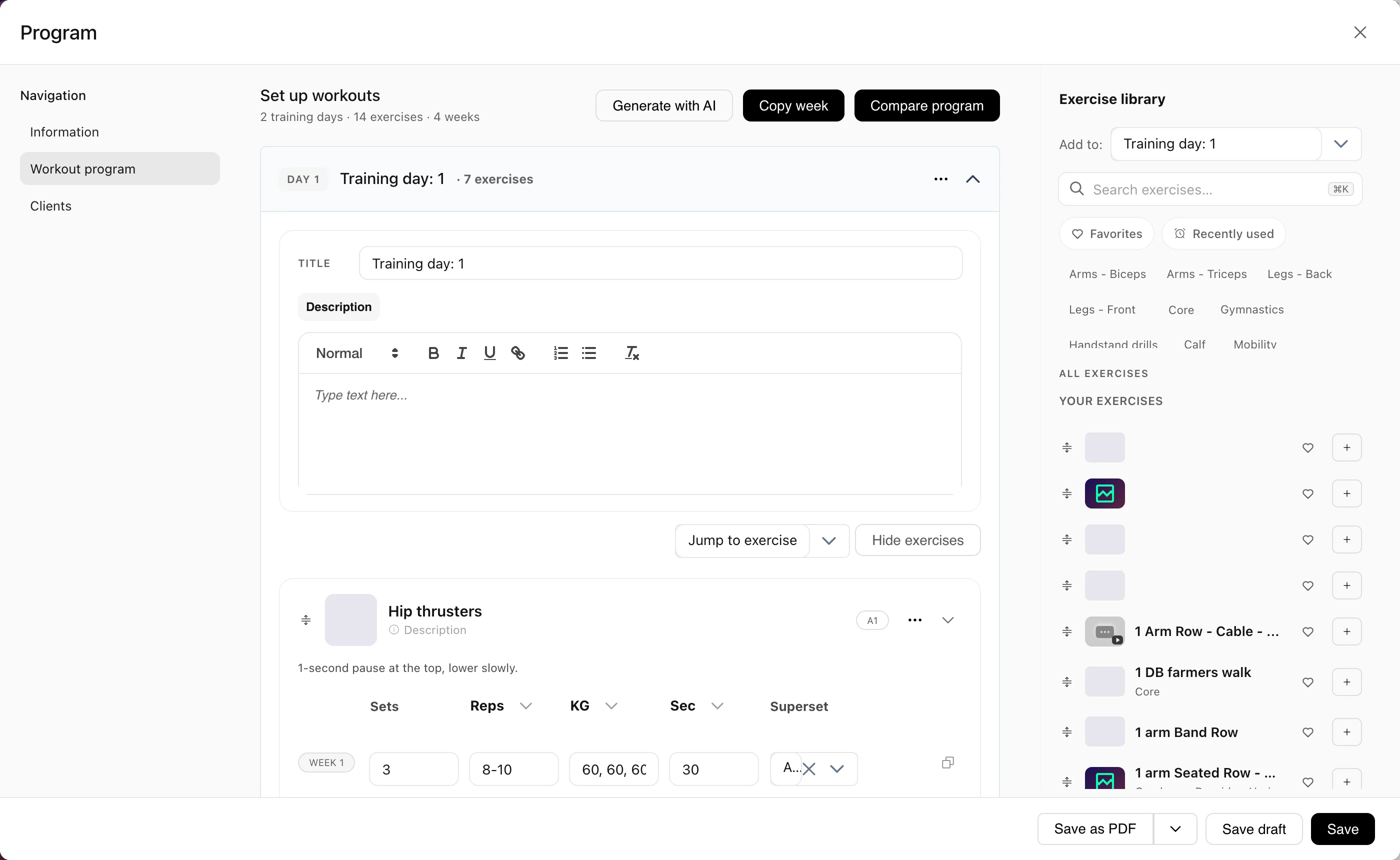
A workout builder is where your workout programming happens: you pick exercises, set up weeks, sets and loads, and deliver the finished program to your client. In Coachplan the program lives next to the client's training log, nutrition and messages, so you only keep it up to date in one place.
Stop rebuilding programs in spreadsheets and docs
Most trainers spend hours every week recreating programs they have already written before.
Without Coachplan
- Programs in spreadsheets and PDFs, rebuilt from scratch every week
- Exercise cues you type out again and again
- Clients asking "what was I supposed to do today?" in your DMs
- Good programs lost in folders you never open again
With Coachplan
- Every exercise and program in one place
- A new program from a template in minutes
- The program sits in the client's app, with a demo for every exercise
- Your best programs reused again and again
Who uses the workout builder?
Personal trainers
Build programs for in-person clients and see what they train between sessions.
Online coaches
Build one signature program and assign it to many clients, adjusted for each of them.
Physiotherapists
Prescribe rehab exercises with dosage and your own videos that patients can follow at home.
How you build a program in Coachplan
Four parts of the builder, each with its own job in your week.
Exercise library
1,200+ exercises with GIFs, plus your own
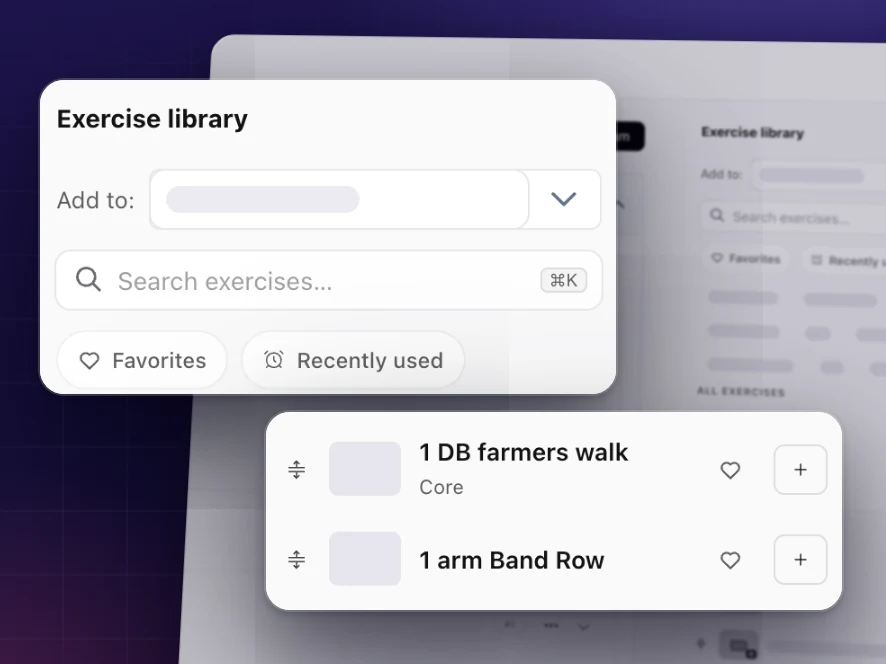
Search by name or filter by category, then drag the exercise in. Missing your own variation? Upload your own video once and reuse it in every program.
No more typing out exercise descriptions by hand
More than a program tool
Supersets
Group exercises into supersets with a clear order, so the client sees exactly what belongs together in the app.
Live training log
See what the client lifted yesterday: weight, reps, RPE and notes. You program from data, not from memory.
Exercise demos
Every exercise comes with a GIF or your own video, so technique stays the same whether you are there or not.
Notes on the exercise
Write a cue directly on the lift. The client sees it exactly where it matters.
Templates you keep improving
Save unlimited templates, sort them into categories and update them over time. Clients already on the program are not affected.
Assign to a group
Send the same program to a whole group at once, with a separate log for each person.
Nutrition on the same profile
Training and nutrition sit on the same client profile and in the same app.
Optional first draft
If you want a head start, ask for a first draft of a program and shape it yourself. You decide what the client gets.
Workout builder vs spreadsheets and PDFs
Workout builder FAQ
Your first program usually takes 10 to 15 minutes. Once you save it as a template, the next client's program takes a few minutes: you just adjust exercises, sets and loads.
Yes. Create your own exercises with your own video and description, so the library matches the way you train. They sit next to Coachplan's exercises, kept separate.
Yes. Load can be set as kg, % of 1RM or RPE, and the client sees the calculated weight in the app.
No, you stay in control. All weeks are shown in one table: fill in week 1, copy it to the following weeks and adjust the numbers yourself. You can also change exercises from week to week or plan a deload.
Yes, if you allow it. You add alternative exercises and the client picks within your limits, for example when a machine is busy.
Yes. Assign it to individuals or whole groups at once. Each client still has their own log.
Programs, courses, measurements, questionnaires and tasks. When you assign a template, the client gets their own copy, so your changes never touch the original.
Yes. Review the log week by week, see if the client swapped an exercise, correct or log sets on their behalf, and give feedback on each exercise.
Yes. We help you move your programs over from spreadsheets, docs or another platform at no cost.
Ready to build better programs?
Try the workout builder free for 30 days, with the full exercise library and unlimited templates from day one.
Build your first program freeNo credit card · 30 days free · 1,200+ exercises included
Coachplan for your role
Considering alternatives?